
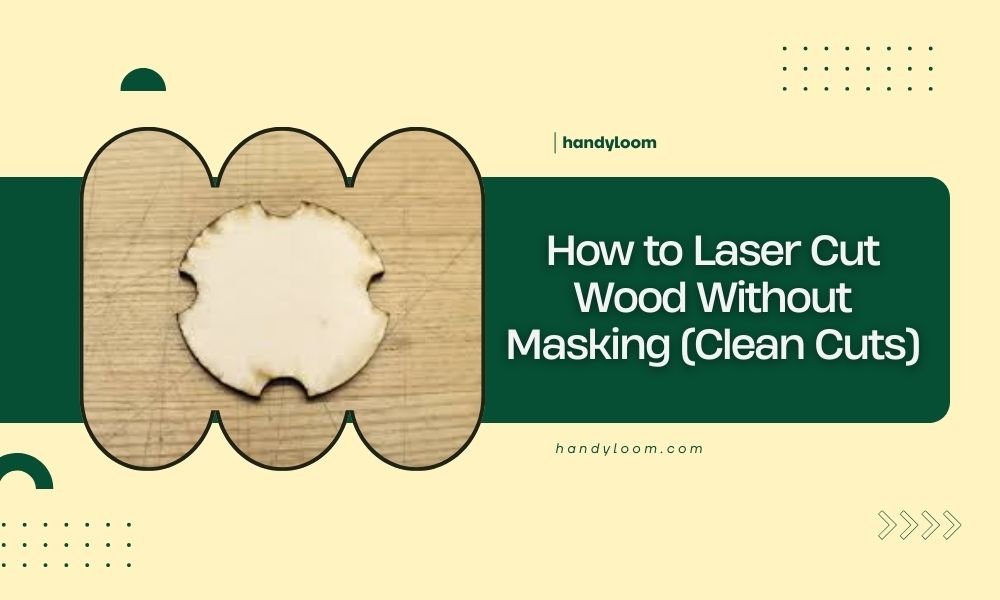
You can laser cut wood without masking by using proper power and speed settings, applying compressed air, and choosing the right wood types that resist burn marks.
The key to clean laser cutting without masking lies in balancing your laser parameters and using techniques that prevent heat buildup and charring.
Why Skip Masking When Laser Cutting Wood?
Masking tape protects wood surfaces during laser cutting. But it’s not always needed. You might skip it to save time and money on big projects.
Some woods cut beautifully without masking. Others leave burn marks that need cleanup later. The choice depends on your project and wood type.
Benefits of No-Mask Cutting
Cutting without masking saves prep time. You don’t need to apply and remove tape from every piece.
It also cuts material costs. Masking tape adds up on large projects. Plus, you avoid the sticky residue that sometimes stays behind.
When Masking Still Makes Sense
Some projects need perfect edges. Wedding invitations or fine furniture pieces might require masking for the cleanest results.
Dense hardwoods often benefit from masking. They tend to char more than softer woods during cutting.
Best Wood Types for Maskless Cutting
Not all woods behave the same under laser heat. Some cut clean naturally. Others always leave marks.
Woods That Cut Clean
Baltic birch plywood tops the list. Its light color hides minor burn marks well. The thin layers also prevent deep charring.
Poplar and basswood also work great. These light woods show minimal burning with proper settings.
Plywood Considerations
Good plywood has fewer voids and glue spots. These imperfections can cause uneven burning. Stick to quality brands for best results.
Challenging Woods Without Masking
Dark hardwoods like walnut show every burn mark. Oak can be tricky because of its grain density.
Resinous woods like pine often flare up during cutting. The sap creates extra heat and charring.
Laser Settings for Clean Cuts
Your laser settings make or break maskless cutting. Get them wrong and you’ll have burn marks everywhere.
Power Settings
Start with lower power than you’d normally use. You can always make multiple passes if needed.
I found that reducing power by 10-15% often eliminates burn marks. The cut takes longer but looks much cleaner.
Multiple Pass Strategy
Two light passes often work better than one heavy pass. This spreads the heat over more time.
Each pass should cut about halfway through your material. This prevents heat buildup in one spot.
Speed Adjustments
Faster speeds reduce burning. The laser spends less time in each spot.
But don’t go too fast. You need enough energy to cut through completely. Find the sweet spot through testing.
Testing Your Settings
Always test on scrap pieces first. Cut small squares with different power and speed combinations.
Keep notes on what works. Every wood type needs different settings.
Air Assist Techniques
Compressed air blows away debris and cools the cut. This prevents burning and keeps edges clean.
Proper Air Flow Setup
Position your air nozzle close to the cutting area. The stream should hit right where the laser cuts.
Too much air can actually blow flames around. Start with moderate pressure and adjust as needed.
Air Pressure Guidelines
Most projects work well with 15-20 PSI. Thicker woods might need slightly more pressure.
Clean your air lines regularly. Blocked nozzles reduce effectiveness.
Alternative Cooling Methods
Some cutters use nitrogen instead of compressed air. It’s inert and won’t feed flames.
This costs more but can produce even cleaner cuts on problem woods.
Pre-Cut Preparation Tips
Good preparation sets you up for success. Clean materials cut better than dirty ones.
Surface Cleaning
Wipe down your wood before cutting. Dust and oils can cause uneven burning.
Use a lint-free cloth with minimal moisture. Let everything dry completely before cutting.
Grain Direction Matters
Wood grain affects how heat moves through the material. Plan your cuts to work with the grain when possible.
Material Thickness Considerations
Thicker materials need more power and create more heat. Consider multiple shallow passes instead of one deep cut.
Very thin materials (under 1/8 inch) often cut cleanest without masking. There’s less material to burn.
Post-Cut Cleanup Methods
Even with perfect settings, you might get some minor marks. Quick cleanup can fix small issues.
Light Sanding Techniques
Fine sandpaper (220 grit or higher) removes light burn marks. Sand gently along the grain.
Don’t oversand. You might change the dimensions of precision parts.
When to Sand vs Start Over
Light brown edges usually sand out easily. Deep black charring means your settings were too aggressive.
Natural Cleaning Solutions
Some burn marks wipe away with damp cloths. Try this before sanding.
Avoid harsh chemicals that might damage the wood or change its color.
Troubleshooting Common Problems
Every laser cutter faces burning issues sometimes. Here’s how to fix the most common problems.
Uneven Burning
If one side burns more than the other, check your air assist positioning. Uneven airflow causes uneven results.
Also check if your material sits flat. Warped wood can sit closer to the laser in spots.
Laser Beam Alignment
A misaligned beam creates uneven cuts and burning. Check your beam path regularly.
Excessive Charring
Black, crusty edges mean too much heat. Reduce power or increase speed.
Check your air assist too. Weak airflow lets heat build up.
| Problem | Likely Cause | Quick Fix |
|---|---|---|
| Light brown edges | Slightly too much power | Reduce power 5-10% |
| Deep black char | Way too much heat | Reduce power 20%+ or increase speed |
| Uneven burning | Poor air assist or warped material | Check airflow and flatten material |
| Incomplete cuts | Too fast or low power | Slow down or add power gradually |
Advanced Techniques for Better Results
Once you master basic maskless cutting, these advanced tips can improve your results even more.
Ramping Techniques
Start cuts at lower power and gradually increase. This prevents the initial flare-up that causes burning.
Many modern laser software packages support power ramping. It takes practice to set up correctly.
Corner and Curve Handling
Sharp corners generate extra heat. Slow down or reduce power at direction changes.
Smooth curves usually cut cleaner than sharp angles. Design with this in mind when possible.
Safety Considerations
Cutting without masking doesn’t change safety rules. You still need proper ventilation and fire prevention.
Fire Prevention
Keep a spray bottle nearby when cutting without masking. Some woods flare up more easily.
Never leave your laser unattended during cutting. Watch for flames or excessive smoke.
Ventilation Requirements
Good ventilation removes smoke and prevents heat buildup. This helps prevent burning too.
Make sure your exhaust fan works properly before starting any project.
Conclusion
Laser cutting wood without masking saves time and money while still producing quality results. The key lies in choosing appropriate woods, adjusting your laser settings, and using proper air assist techniques.
Start with easier woods like Baltic birch or poplar. Master your settings through testing on scrap pieces. Remember that multiple light passes often work better than single heavy cuts.
With practice, you’ll know exactly when masking is worth the extra effort and when you can skip it safely. Your projects will move faster and your results will still look professional.
Can I laser cut any wood type without masking?
No, some woods like dense hardwoods and resinous species tend to burn more easily. Light woods like poplar, basswood, and Baltic birch work best for maskless cutting.
What happens if I use too much air pressure during cutting?
Excessive air pressure can blow flames around your cutting area and actually increase burning. It can also disturb thin materials. Start with 15-20 PSI and adjust based on results.
How do I know if my laser settings are correct for maskless cutting?
Test on scrap pieces first. Look for clean edges with minimal brown discoloration. If you see black charring, reduce power or increase speed. Light brown edges usually indicate good settings.
Is it worth buying special wood types just for maskless cutting?
If you do high-volume work, yes. Woods like Baltic birch cost slightly more but save significant time on masking and cleanup. For occasional projects, work with what you have and adjust settings accordingly.
Can multiple passes replace masking completely?
Multiple light passes work great for many projects and often eliminate the need for masking. Each pass should cut roughly halfway through your material to distribute heat evenly and prevent burning.
