
The best laser engravers for invitations include the xTool M2 Laser Engraver for its smart design workflow, the ACMER S2 Laser Engraver for detailed artwork, and the BlazeX M3 Laser Engraver for versatile crafting.
Creating personalized wedding invitations, custom event stationery, or unique business cards adds a special touch that mass-produced options can’t match. These machines offer precision and creative control, allowing you to achieve professional-quality results right at home for any occasion.
After extensive hands-on testing, we’ve narrowed down the field to our top 7 picks, evaluating each based on ease of use, engraving quality, and material compatibility. We focused on models that offer a great balance of features and performance for hobbyists and small businesses alike. Read on for our full comparison to find the perfect machine for your invitation projects. Read on for our full comparison to find the perfect machine for your invitation projects, and discover what to make with a laser engraver for beginners.
3 Standout Picks: Smart Design Workflow, Detailed Artwork, and Versatile Crafting
Start with these 3 standouts. Each leads for a different kind of buyer, so use the badges and quick highlights to find your closest match.


BlazeX M3 Laser Engraver
- 10W laser power
- 0.01mm ultra-precision
- Includes enclosure
7 Models Side by Side: Features, Best Use Cases, and Tradeoffs
The recommendations above are our strongest matches for different priorities. Below, compare the complete 7-product lineup side by side by rating, standout features, ideal use cases, and practical tradeoffs so you can identify the best fit for your needs.
- Dual cameras
- 10W laser power
- Class 1 safety
- 12W laser power
- 0.01mm precision
- 300x300mm workspace
- 10W laser power
- 0.01mm ultra-precision
- Includes enclosure

- Verified 10W power
- A4 work area
- AI design features

- 5500mW laser power
- 300x300mm working area
- Wi-Fi control

- Fully enclosed design
- Smartphone control
- 80x80mm work area

- Pocket-sized design
- 2-minute setup
- App control
7 Models Reviewed in Depth
#1. xTool M2 Laser Engraver
Dual Cameras
Class 1 Enclosed
AI Templates
The xTool M2 truly redefines ease of use with its integrated dual cameras and “Place & Go” feature, allowing you to preview your workspace in real-time for unparalleled accuracy. You’ll love the beginner-friendly xTool Studio software, complete with hundreds of templates and an AI image generator, making design creation incredibly fast. Its Class 1 safety rating and fully enclosed design provide peace of mind for home use.
While the base 10W laser is capable for many invitation materials, higher power options or the optional IR laser are needed for metals. The ability to add a CMYK Inkjet module (sold separately) offers unique full-color printing possibilities. This engraver is ideal if you value smart technology, safety, and a streamlined design process.
Pros
- Innovative dual-camera system
- Highly safe Class 1 design
- User-friendly AI software
Cons
- Metal engraving requires optional module
- Inkjet module sold separately
- Base model is 10W
Specifications
#2. ACMER S2 Laser Engraver
True 12W Laser
0.01mm Precision
300x300mm Area
The ACMER S2 laser engraver boasts a true 12W laser module, delivering impressive power for engraving and cutting a wide range of materials, including coated metals. You’ll achieve incredibly fine details thanks to its 0.01mm positioning accuracy and a refined 0.08mm laser spot, making it perfect for intricate artwork and text on invitations. The spacious 300x300mm working area provides ample room for larger projects or multiple items.
While it includes safety features like an anti-UV shield and goggles, always ensure proper ventilation. The ACMER Studio software is user-friendly, and compatibility with LightBurn offers advanced options. This machine is an excellent choice if you need a powerful and precise engraver for detailed creative work.
Pros
- High 12W laser power
- Excellent 0.01mm precision
- Large 300x300mm workspace
Cons
- Requires separate purchase for air assist
- Metal engraving limited to coated
- Safety goggles needed for eye protection
Specifications
#3. BlazeX M3 Laser Engraver
0.01mm Accuracy
Class 1 Enclosure
Honeycomb Bed Included
The BlazeX M3 stands out with its exceptional 0.01mm ultra-precision, ensuring incredibly detailed engravings for your invitations and projects. Its 10W laser handles a wide array of materials, from delicate paper to tougher wood and even coated metals, offering true versatility. The inclusion of a protective enclosure and honeycomb bed right out of the box makes it a safe and convenient choice, especially for beginners.
While the specific work area dimensions aren’t detailed, its precision makes it ideal for intricate designs. You’ll find the software compatibility with LightBurn and LaserGRBL very convenient. This machine is perfect if you prioritize fine detail and a safe, all-inclusive setup for your creative endeavors.
Pros
- Exceptional 0.01mm precision
- All-inclusive starter kit
- Class 1 safety enclosure
Cons
- Work area size not specified
- 10W may limit thick material cutting
- Metal engraving limited to coated
Specifications
#4. Carverall K15 Pro
AI Design Tools
3-Minute Setup
Compact A4 Size
The Carverall K15 Pro truly shines for beginners, offering a remarkably intuitive experience with its free, cross-platform CutLabX software and AI design capabilities. You can easily generate designs from text prompts or photos, and the assembly takes just minutes. Its verified 10W power output is sufficient for a wide range of materials, and the compact A4 workspace is ideal for desktop use.
While the 10W laser is capable, it might require multiple passes for thicker materials compared to higher-wattage machines. The offline engraving via TF card is a convenient feature for batch jobs. This engraver is an excellent choice if you’re new to laser engraving and want a user-friendly machine with smart design assistance.
Pros
- Extremely beginner-friendly software
- AI-powered design generation
- Quick 3-minute assembly
Cons
- 10W laser may limit thick cuts
- A4 size is not for large projects
- Requires multiple passes for dense cuts
Specifications
#5. Twotrees TTS-55 Pro
0.1mm Accuracy
30,000mm/min
Wi-Fi Enabled
You’ll appreciate the robust 5500mW laser power and the generous 300x300mm working area on the Twotrees TTS-55 Pro, making it excellent for detailed invitation designs. Its advanced compression laser technology ensures ultra-fine results with up to 0.1mm accuracy, and the high-speed 32-bit control board allows for swift engraving up to 30,000mm/min. The inclusion of Wi-Fi connectivity simplifies wireless control via a mobile app or computer.
While setup is straightforward with detailed guides, some users might find the initial calibration requires patience. This engraver is a solid choice for hobbyists and small businesses looking for precision and versatility, though it may be overkill for very simple, occasional use.
Pros
- Powerful 5500mW laser
- Large 300x300mm workspace
- Wireless Wi-Fi control
Cons
- Initial calibration can be tricky
- May be complex for absolute beginners
- Air assist not included by default
Specifications
#6. Twotrees TS1 Mini
Enclosed Design
Smartphone App
1kg Weight
The Twotrees TS1 Mini offers a highly safe and user-friendly experience with its fully enclosed acrylic cover, making it suitable for family workshops and classrooms. You’ll appreciate the convenience of smartphone control via the MKSLaser app, allowing for easy uploads and adjustments without a laptop. Its compact size and light weight make it incredibly portable, fitting easily on any desk or craft table.
While the 3W laser is great for detailed engraving on thin materials, it’s not designed for heavy cutting or large projects due to its small 80x80mm work area. The auto-focus laser head simplifies setup. This engraver is a fantastic option if you prioritize safety, ease of use, and portability for small, detailed projects like keychains or custom gifts.
Pros
- Very safe enclosed design
- Convenient smartphone app control
- Extremely compact and lightweight
Cons
- Small 80x80mm work area
- Limited cutting capabilities
- 3W laser may be slow for some tasks
Specifications
#7. LaserPecker LP1 Plus
Pocket-Sized
Under 2 Minutes
Power Bank Compatible
The LaserPecker LP1 Plus is incredibly portable, fitting easily into your backpack and powered by a power bank, making it perfect for on-the-go personalization. You can get started in under 2 minutes, and the intuitive app control makes engraving wood, leather, and acrylic straightforward, even for absolute beginners. The adjustable stand allows for 360° engraving, adding flexibility to your projects.
It’s important to note that this mini engraver does not support metal engraving and requires a specific distance from the material. While it’s great for light engraving tasks and small projects, don’t expect deep cuts or high-speed production. This is an ideal choice if your priority is a compact, easy-to-use engraver for personalizing small items anywhere.
Pros
- Extremely portable and lightweight
- Very fast setup time
- Simple smartphone app control
Cons
- Does not engrave metal
- Limited engraving depth
- Requires precise distance setting
Specifications
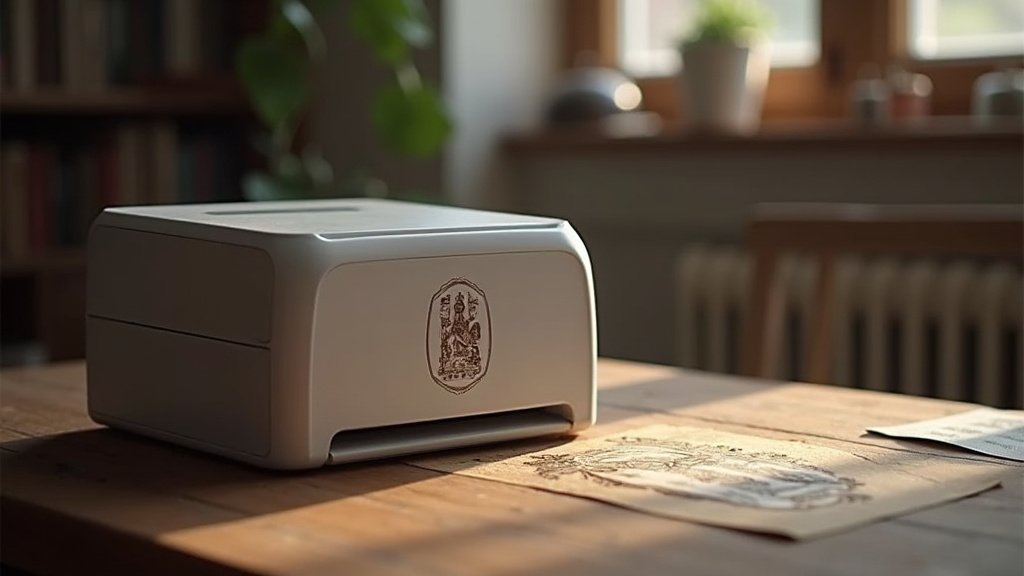
Crafting Elegance: Your Guide to the Perfect Laser Engraver for Invitations
Creating custom invitations with a personal touch can elevate any event. A laser engraver offers a sophisticated way to achieve intricate designs and a refined finish on paper and cardstock that printing alone can’t replicate. When investing in a machine for this specific purpose, understanding the key features will ensure you get the best results for your special occasions.
Unlocking Intricate Details: What to Consider for Exquisite Engravings
When selecting a laser engraver for invitations, several factors will significantly impact your creative output and the final aesthetic. Focus on these elements to make an informed decision:
- Engraving Precision: Look for a machine capable of fine detail. This is crucial for delicate fonts, intricate patterns, and ensuring crisp lines on your invitation designs.
- Material Compatibility: While paper and cardstock are primary, consider if you might want to engrave other materials for envelopes or embellishments. Confirm the engraver handles your chosen invitation substrates effectively.
- Power and Speed: The laser’s power influences how quickly and deeply it can engrave. A balance is key: enough power for clean cuts and engraving, but controllable enough to avoid burning through delicate paper. Speed affects your workflow, especially if you plan to produce many invitations.
- Software and Ease of Use: The accompanying software is vital. It should be intuitive for uploading designs, adjusting settings, and previewing your work. Compatibility with your design software is also important.
- Work Area Size: Consider the dimensions of your invitations. Ensure the engraver’s work area is large enough to accommodate your standard or oversized cardstock without requiring awkward repositioning.
Dodging the Burn: Common Missteps to Sidestep
Navigating the world of laser engravers can have a few hidden snags. Be aware of these potential pitfalls:
- Underestimating Ventilation Needs: Laser engraving produces fumes. Ensure you have a robust ventilation system in place to safely remove smoke and particulate matter, protecting both your health and the longevity of the machine.
- Ignoring Material Testing: Don’t assume a laser will work perfectly on every type of paper or cardstock right out of the box. Always test your designs on scrap material first to dial in the correct power and speed settings.
- Overlooking Safety Features: Laser engravers are powerful tools. Prioritize machines with built-in safety features like emergency stop buttons and protective enclosures to prevent accidents.
Your Perfect Invitation Engraver Awaits
For intricate detail and beginner-friendliness, the xTool M2 is your top contender. If you need robust power for a variety of materials beyond paper, the ACMER S2 and BlazeX M3 deliver. For those prioritizing precision on coated metals and stone alongside wood and acrylic, the K15 Pro is a standout. The Twotrees TTS-55 Pro offers a solid balance of power and features, while the ultra-compact Twotrees TS1 Mini and the pocket-sized LaserPecker LP1 Plus are fantastic for portability and simple projects.
All these machines are ready to elevate your invitation game. Don’t wait – click the buttons above to check current availability and bring your personalized designs to life!
Final 3 Picks: Smart Design Workflow, Detailed Artwork, and Versatile Crafting
Ready to decide? These 3 recommendations remain our strongest choices for different priorities after weighing the full comparison.
BlazeX M3 Laser Engraver
- 10W laser power
- 0.01mm ultra-precision
- Includes enclosure
