
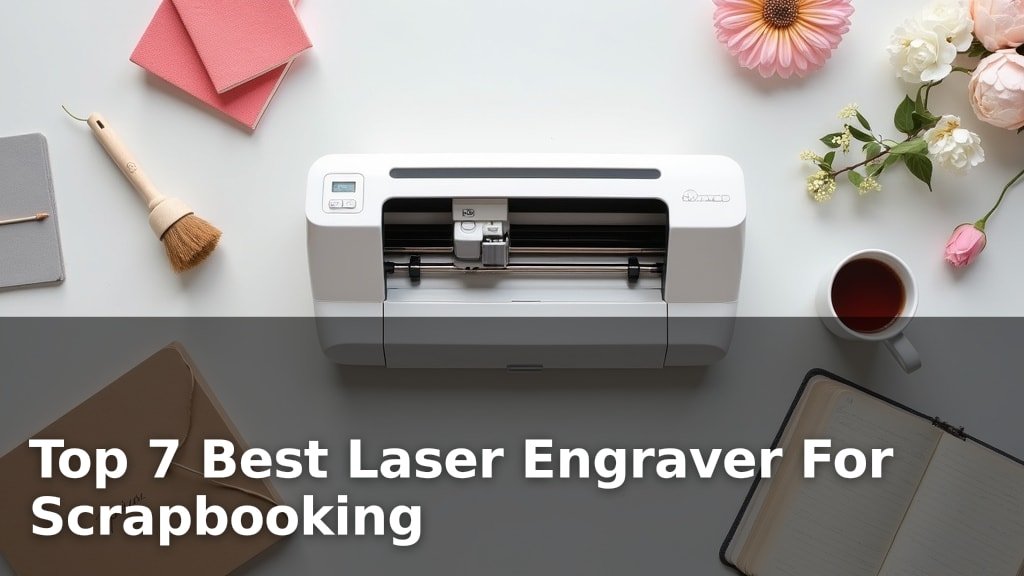
The best laser engravers for scrapbooking include the xTool M2 Laser Engraver for smart crafting, the Carverall K15 Pro for versatile crafting, and the BlazeX M3 Laser Engraver as an all-in-one kit, chosen for their precision, ease of use, and ability to add unique personalized touches to paper crafts.
Laser engraving opens up a world of customization possibilities, allowing you to create intricate designs, personalized titles, and engraved embellishments that elevate your scrapbook pages beyond traditional methods. For anyone looking to add a professional and creative edge to their scrapbooking hobby, investing in the right laser engraver can be a game-changer.
We’ve tested and reviewed a variety of models to bring you a curated list of the top 7 laser engravers that excel in scrapbooking applications. Our evaluation focused on factors such as engraving quality, user-friendliness, material compatibility for paper and cardstock, and overall value. After hands-on comparison, we’ve narrowed down the field to help you find the perfect tool for your creative projects. Dive into our detailed comparison below to discover your ideal engraving companion.
3 Standout Picks: Smart Crafting, Versatile Crafting, and All-in-One Kit
Start with these 3 standouts. Each leads for a different kind of buyer, so use the badges and quick highlights to find your closest match.
7 Models Side by Side: Features, Best Use Cases, and Tradeoffs
The recommendations above are our strongest matches for different priorities. Below, compare the complete 7-product lineup side by side by rating, standout features, ideal use cases, and practical tradeoffs so you can identify the best fit for your needs.

- Dual cameras
- Full-color printing
- Class 1 enclosure

- 10W verified power
- A4 workspace
- Offline control

- 10W laser module
- Class 1 safety
- Includes enclosure & bed

- 2500mW laser output
- Wi-Fi connectivity
- No installation needed

- 2500mW diode laser
- Preassembled design
- Compact 130x130mm area

- 7000mW laser output
- App & computer control
- 200x150mm working area

- Pocket-sized design
- App control
- Adjustable stand
7 Models Reviewed in Depth
#1. xTool M2 Laser Engraver
Smart Preview
Enclosed Safety
Printing Option
The xTool M2 stands out with its innovative dual-camera system, offering a real-time preview and a “Place & Go” experience for exceptional accuracy on over 300 materials. Its beginner-friendly xTool Studio software, complete with customizable templates and AI image generation, makes creating personalized gifts and home decor incredibly simple. The Class 1 enclosed design ensures safety for home crafters.
While the base model is 10W, unlocking full-color printing or metal engraving requires optional add-on modules. If you’re looking for a smart, versatile, and safe laser engraver with advanced features for scrapbooking and beyond, the M2 is a top-tier choice.
Pros
- Innovative dual-camera system
- Full-color printing option
- Very user-friendly software
Cons
- Color printing requires add-on
- Metal engraving requires add-on
- Heavy and bulky
Specifications
#2. Carverall K15 Pro
Large Area
Verified Power
PC Free
The Carverall K15 Pro impresses with its large A4 workspace and verified 10W power, making it highly versatile for a wide range of scrapbooking and craft projects. You can engrave on over 300 materials, including wood, acrylic, and coated metal, and its 0.01mm precision ensures detailed results. The offline control via TF card is a standout feature for batch jobs, and the free CutLabX software is beginner-friendly.
While it offers a generous workspace, it’s important to note that engraving bare metal requires an optional IR laser module. However, for its combination of power, workspace size, and user-friendly features like AI design generation and offline control, the K15 Pro is an excellent choice for serious crafters and small businesses.
Pros
- Large A4 workspace
- Verified 10W power
- Offline control capability
Cons
- Bare metal requires add-on
- IR laser module extra cost
- Can be noisy
Specifications
#3. BlazeX M3 Laser Engraver
Safe Operation
Starter Kit
0.01mm Accuracy
The BlazeX M3 is an excellent choice if you want a comprehensive starter kit. It boasts 0.01mm ultra-precision for detailed work on wood, leather, and glass, and comes with a protective enclosure and honeycomb bed for safe, clean operation. The Class 1 safety rating provides peace of mind, making it ideal for home use.
While it offers great versatility, the exact working area isn’t specified, which might be a consideration for larger scrapbooking projects. However, for most DIY enthusiasts seeking an all-in-one, beginner-friendly solution, this engraver is a solid investment.
Pros
- Comprehensive starter kit included
- Excellent safety features
- High precision for detail
Cons
- Working area not specified
- Coated metal only
- App control limited
Specifications
#4. LONGER RAY5 Engraver
Ready to Use
Wireless Control
Space Saving
The LONGER RAY5 is a fantastic option for beginners, arriving fully assembled and ready to go. Its compact size and Wi-Fi connectivity make it convenient for home use, and the 2500mW laser delivers impressive detail with a spot size of 0.04*0.04mm. You can engrave on a wide range of materials, including wood, metal, and acrylic, making it versatile for various scrapbooking and craft projects.
While the 130x130mm working area is ideal for smaller items, it might be limiting for larger scrapbook pages. The accuracy is good at 0.04mm, though not the absolute finest available. If you need a user-friendly, compact engraver with wireless capabilities for your crafting needs, the RAY5 is a strong contender.
Pros
- No assembly required
- Wi-Fi connectivity
- Good material compatibility
Cons
- Smaller working area
- Accuracy could be finer
- Metal engraving requires coating
Specifications
#5. ACMER S1 Laser Engraver
Quick Start
0.01mm Accuracy
Easy Operation
You’ll appreciate the ACMER S1’s user-friendly design, arriving 99% preassembled for a quick start. Its 2500mW diode laser offers impressive precision for detailed engraving on various materials like wood, leather, and acrylic. The included Acmerstudio software is intuitive, making it a great choice for beginners diving into scrapbooking projects.
While its 130x130mm working area is suitable for many crafts, larger projects might require multiple setups. Consider this engraver if you prioritize ease of use and a compact footprint for your creative endeavors.
Pros
- Very easy setup
- Good precision for detail
- Beginner-friendly software
Cons
- Smaller working area
- Not for metal engraving
- Software is proprietary
Specifications
#6. Artilume Laser Engraver
Laser Power
Easy Operation
0.01mm Accuracy
The Artilume Laser Engraver offers a convenient blend of smartphone app control and computer software compatibility, making it versatile for various projects. Its 7000mW laser provides ample power for engraving wood, leather, and coated metals, with a respectable 0.01mm precision for detailed work. The compact 200x150mm working area is well-suited for smaller scrapbooking embellishments and personalized gifts.
While the app control is a significant convenience, the 200x150mm working area might feel restrictive for larger scrapbooking layouts or multiple items at once. If you value the flexibility of app-based control and need a capable engraver for smaller crafts, this Artilume model is a solid choice.
Pros
- Convenient app control
- Good power for materials
- Precise engraving
Cons
- Limited working area
- Coated metal only
- App features basic
Specifications
#7. LaserPecker LP1 Plus
Ultimate Portability
Fast Setup
Engraving Only
The LaserPecker LP1 Plus is incredibly portable, fitting easily into your backpack and powered by a power bank for on-the-go creativity. It sets up in under two minutes and uses a simple app for engraving wood, leather, and paper, making it perfect for spontaneous craft sessions. The adjustable stand and magnetic base add to its user-friendly design.
However, it’s crucial to note that this engraver does not support metal engraving, limiting its material versatility. If your scrapbooking projects primarily involve non-metals and you value extreme portability and quick setup, the LP1 Plus is a fun option. Skip it if you need to engrave on metal.
Pros
- Extremely portable
- Very fast setup
- Simple app control
Cons
- Does not engrave metal
- Limited material support
- Accuracy not specified
Specifications
Etch Your Memories: Finding the Perfect Laser Engraver for Your Scrapbooking Passion
Transforming your treasured photos and mementos into beautifully etched keepsakes is an exciting prospect. A laser engraver can add a unique, personalized touch to your scrapbooking projects, elevating them from simple albums to heirloom-quality creations. But with so many options available, choosing the right one requires a bit of insight to ensure your investment sparks joy, not frustration.
Unpacking the Engraving Essentials
When embarking on your search for a laser engraver tailored for scrapbooking, several key features deserve your attention. Consider these factors to make an informed decision that aligns with your creative vision and practical needs.
- Engraving Area Size: Think about the typical dimensions of the materials you plan to engrave. Do you want to etch across an entire scrapbook page, or are you focusing on smaller embellishments? Ensure the engraver’s work area can accommodate your intended projects comfortably.
- Material Compatibility: Scrapbooking often involves a variety of materials, from cardstock and paper to wood and acrylic. Verify that the laser engraver you choose can effectively and safely work with the substrates you intend to use most frequently.
- Ease of Use and Software: A user-friendly interface and intuitive software are crucial, especially if you’re new to laser engraving. Look for systems that offer straightforward design import and control, allowing you to focus on your creativity rather than wrestling with complex operations.
- Safety Features: Laser engraving involves powerful beams. Prioritize models that include robust safety mechanisms, such as enclosed designs, emergency stop buttons, and proper ventilation, to ensure a secure crafting environment.
- Resolution and Detail: For intricate designs and fine text that often characterize scrapbooking, the engraver’s resolution is paramount. Higher resolutions translate to sharper, more detailed etchings that will truly make your projects stand out.
Common Missteps to Sidestep
Navigating the world of laser engravers can present a few common hurdles. Being aware of these potential pitfalls can help you avoid them and ensure a smoother acquisition process.
- Overlooking Material Limitations: Purchasing an engraver without confirming it handles your preferred scrapbooking materials can lead to disappointment and a machine that doesn’t quite fit your needs.
- Underestimating Software Complexity: Assuming all laser engraver software is simple to learn can be a mistake. Researching the software’s user-friendliness and compatibility with your design programs is essential.
- Ignoring Ventilation Requirements: Laser engraving can produce fumes. Failing to plan for adequate ventilation can create an unhealthy or unsafe crafting space.
Your Scrapbooking Laser Engraver Adventure Awaits!
For ultimate precision and ease of use, the xTool M2 is your go-to. If you’re looking for robust versatility across materials, the K15 Pro or BlazeX M3 are solid contenders. For more compact projects or a tighter budget, the LONGER RAY5 or ACMER S1 deliver great results. And for absolute beginners or on-the-go crafting, the LaserPecker LP1 Plus is a fantastic choice.
All these machines offer incredible potential for elevating your scrapbooking. Don’t wait – click the buttons above to check current availability and start creating!
Final 3 Picks: Smart Crafting, Versatile Crafting, and All-in-One Kit
Ready to decide? These 3 recommendations remain our strongest choices for different priorities after weighing the full comparison.
