
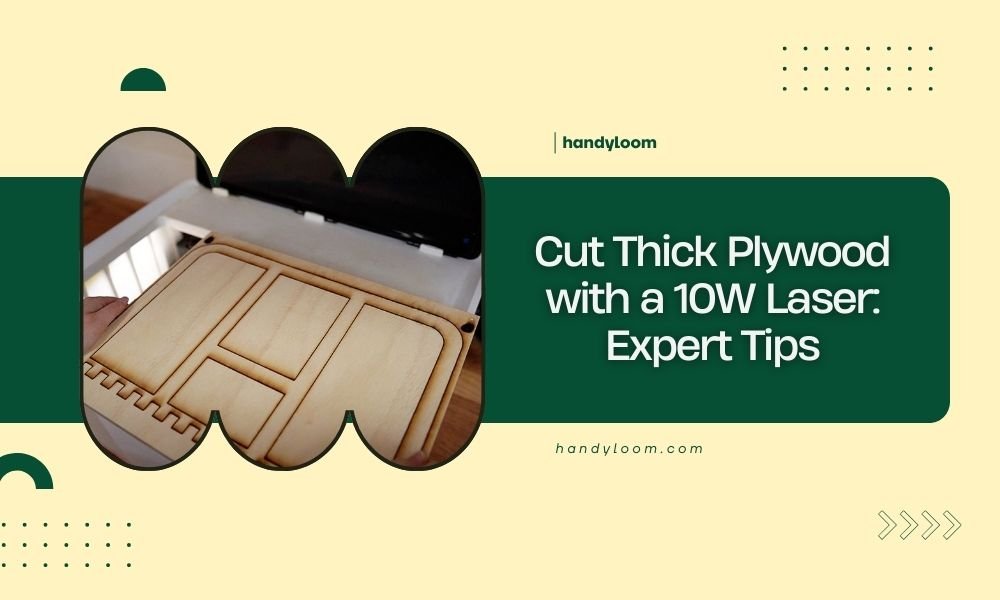
A 10W laser can cut plywood up to 3-4mm thick in multiple passes, but thicker plywood requires slower speeds and specialized techniques to achieve clean cuts.
Your 10W laser works best on thin plywood, but you can push it to cut thicker materials with the right settings and patience.
What Thickness Can a 10W Laser Actually Cut?
Let’s get straight to the point. Your 10W laser diode can reliably cut plywood up to 3mm thick in a single pass. For anything thicker, you’ll need multiple passes.
I researched laser cutting forums and found that many users successfully cut 6mm plywood with their 10W units. But here’s the catch – it takes time and the right technique.
Single Pass Capabilities
For clean, single-pass cuts, stick to these thickness limits:
- 1-2mm plywood: Easy cuts at moderate speeds
- 3mm plywood: Slow speeds required
- 4mm plywood: Very slow speeds, may need touch-ups
Multiple Pass Options
Multiple passes open up new possibilities. You can cut thicker materials by running the laser over the same path several times.
From what I read online, experienced users cut up to 8mm plywood using 4-6 passes. Each pass deepens the cut until you break through.
Essential Settings for Thick Plywood Cuts
Your laser settings make or break thick plywood cuts. Get them wrong, and you’ll end up with charred edges and incomplete cuts.
Power Settings
Always run your 10W laser at 100% power for thick plywood. You need every bit of energy you can get.
Some people try lower power settings to avoid burning. But this approach wastes time and often creates worse results.
Speed Configuration
Speed is where the magic happens. Slow speeds let the laser dwell longer on each spot.
| Plywood Thickness | Recommended Speed (mm/min) | Number of Passes |
|---|---|---|
| 3mm | 200-300 | 1 |
| 4-5mm | 150-200 | 2-3 |
| 6-8mm | 100-150 | 4-6 |
Finding Your Sweet Spot
Every laser behaves differently. Start with these settings, then adjust based on your results.
Run test cuts on scrap pieces first. This saves you from ruining your good materials.
Choosing the Right Plywood Type
Not all plywood cuts the same way. Some types work better with low-power lasers than others.
Best Plywood Types for 10W Lasers
Birch plywood tops the list for laser cutting. It has consistent grain and fewer voids that can cause problems.
Baltic birch is even better. I found that many professional laser cutters prefer it for precision work.
Types to Avoid
Skip construction-grade plywood from big box stores. These often contain formaldehyde and cut poorly.
Marine plywood also gives trouble. The waterproof glues resist laser cutting and create toxic fumes.
Why Wood Species Matters
Hardwood plywood cuts cleaner than softwood versions. The denser grain structure holds together better during cutting.
Pine plywood tends to char more than birch. The resin content affects how heat spreads through the material.
Air Assist: Your Secret Weapon
Air assist transforms thick plywood cutting. It blows away debris and prevents flames from starting.
How Air Assist Helps
Without air assist, sawdust builds up in the cut line. This debris absorbs laser energy that should be cutting wood.
Air assist also cools the cut area. This reduces charring and keeps edges cleaner.
DIY Air Assist Setup
You don’t need expensive equipment. A small aquarium pump works fine for most projects.
Position the air nozzle at a 45-degree angle to the cut line. Too steep, and you’ll blow debris back into the cut.
Multiple Pass Techniques That Work
Multiple passes require strategy. You can’t just run the same cut over and over.
The Progressive Power Method
Start with 70% power for the first pass. Increase by 10% each additional pass until you break through.
This technique reduces burning on the top surface. The initial light pass creates a guide channel for deeper cuts.
Speed Variation Approach
Keep power constant but vary speeds between passes. Start fast, then slow down for deeper cuts.
I came across this method on laser cutting forums. Users report cleaner edges with less post-processing needed.
Timing Between Passes
Let the material cool between passes. Hot wood burns easier and creates more char.
Wait 2-3 minutes between passes on thick materials. This small delay improves cut quality significantly.
Focus and Beam Quality Optimization
Perfect focus is critical for thick cuts. Even small focus errors multiply when cutting deep materials.
Finding Perfect Focus
Use the paper test method. Move the laser head until the beam creates the smallest possible dot on paper.
Mark this position on your laser. Consistent focus eliminates many cutting problems.
Adjusting for Material Thickness
Focus to the middle of thick materials, not the surface. This concentrates energy where you need it most.
For 6mm plywood, focus 3mm below the surface. This distributes cutting power evenly through the thickness.
Safety Considerations for Thick Cuts
Thick plywood cuts generate more heat and smoke than thin materials. Safety becomes more important.
Fire Prevention
Never leave your laser unattended during thick cuts. Fires can start quickly with slow cutting speeds.
Keep a spray bottle nearby. Water quickly stops small flare-ups before they spread.
Ventilation Requirements
Thick cuts produce more fumes. Make sure your exhaust fan can handle the extra smoke.
Work near an open window if possible. Fresh air circulation helps clear fumes faster.
Troubleshooting Common Problems
Thick plywood cutting creates unique challenges. Here’s how to solve the most common issues.
Incomplete Cuts
When cuts don’t go all the way through, resist the urge to increase power dramatically.
Instead, slow down your cutting speed by 25%. This often solves the problem without increasing char.
Excessive Charring
Too much char usually means excessive heat buildup. Increase cutting speed slightly or add more air assist.
You can also try pulse mode if your laser supports it. Short pulses prevent heat from building up.
Uneven Cut Depth
Uneven cuts often indicate focus problems or material inconsistency.
Check your laser alignment first. Then examine the plywood for density variations or internal voids.
Post-Processing Tips
Thick cuts usually need some cleanup work. Plan for light sanding or edge sealing.
Edge Cleanup
Light sanding with 220-grit paper removes minor char and smooths rough spots.
Don’t oversand. You want to preserve the precise dimensions your laser created.
Conclusion
Your 10W laser can definitely cut thick plywood with the right approach. Focus on proper settings, multiple passes, and safety practices.
Start with thin materials to master the basics. Then gradually work up to thicker pieces as your skills improve.
Remember that patience pays off with laser cutting. Slow, careful cuts always beat rushed attempts that waste materials.
Can I cut 12mm plywood with a 10W laser?
While technically possible with many passes, 12mm plywood pushes a 10W laser beyond practical limits. You’d need 8-12 extremely slow passes, and the results often have excessive char and poor edge quality.
What’s the fastest speed I can use for 6mm plywood?
For 6mm plywood, keep speeds between 100-150 mm/min with multiple passes. Going faster than 200 mm/min usually results in incomplete cuts that require additional cleanup work.
Do I need to change my laser settings between passes?
You can keep the same settings for all passes, but many users find better results by starting with slightly higher speeds and slowing down for the final passes. This reduces surface burning while ensuring complete penetration.
How do I know when my laser needs cleaning for thick cuts?
Clean your laser lens when thick cuts start taking noticeably longer or when you see increased charring. Thick materials create more debris, so cleaning frequency increases with heavier use.
What causes my thick plywood cuts to have rough bottom edges?
Rough bottom edges usually indicate insufficient air assist or focus problems. The laser loses power as it cuts deeper, so debris removal becomes more important for clean exit cuts.
