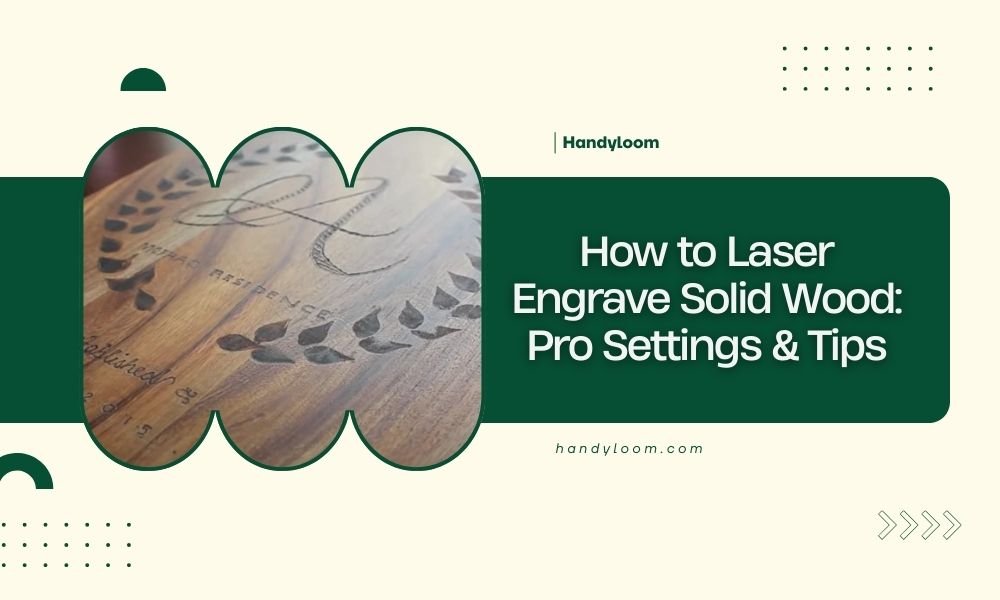
To laser engrave solid wood successfully, set your laser power between 20-40% with speeds of 800-1500 mm/min, adjusting based on wood hardness and desired depth.
The key to professional results lies in proper wood preparation, correct focal distance, and using multiple light passes rather than one deep cut.
Essential Laser Settings for Different Wood Types
Getting the right settings can make or break your engraving project. I researched various woodworking forums and found that most professionals start with conservative settings and work their way up.
Softwoods like pine and cedar need gentler treatment. You’ll want lower power settings around 20-30% to avoid burning through the grain. Hardwoods such as oak and maple can handle more aggressive settings, often requiring 35-45% power.
Softwood Laser Settings
Pine, cedar, and basswood respond well to these baseline settings:
- Power: 20-30%
- Speed: 1200-1500 mm/min
- Passes: 2-3 light passes
- DPI: 300-500 for detailed work
Start at the lower end and test on scrap pieces first. Softwoods can char quickly if you push too hard.
Hardwood Laser Settings
Oak, maple, walnut, and cherry need more power to cut through their dense fibers:
- Power: 35-45%
- Speed: 800-1200 mm/min
- Passes: 1-2 passes usually sufficient
- DPI: 400-600 for crisp details
Hardwoods often produce cleaner edges with fewer passes at higher power rather than multiple light passes.
Wood Preparation Steps That Make a Difference
Proper preparation separates amateur results from professional-looking engravings. Think of it like preparing a canvas before painting.
Surface Preparation
Sand your wood to at least 220 grit before engraving. Rough surfaces scatter the laser beam and create uneven depths. I found that many craftspeople skip this step and wonder why their engravings look blotchy.
Clean the surface with a tack cloth or compressed air. Any dust or debris will interfere with the laser beam and potentially cause fire hazards.
Moisture Content Matters
Wood moisture should be between 6-12% for best results. Wet wood creates steam that interferes with engraving. Overly dry wood can crack or splinter during the process.
If you’re unsure about moisture levels, let your wood acclimate in your workshop for a few days before engraving.
Focus and Positioning Techniques
Getting the focus right is like adjusting glasses for reading. Even slightly off focus will blur your results and waste time.
Focal Distance Setup
Most CO2 lasers work best with the focal point at or slightly below the wood surface. Use your laser’s focus gauge or measure the exact distance from lens to material.
For engraving, focus on the surface. For cutting through, focus about 1/3 down into the material thickness.
Material Positioning
Keep your wood flat against the bed. Warped or uneven pieces will go in and out of focus during engraving. Use hold-down clamps or weights if needed.
Check that your wood doesn’t rock or wobble. Even small movements can ruin fine detail work.
Speed and Power Balance
Speed and power work together like a dance. Too fast with low power creates light, inconsistent marks. Too slow with high power burns through your material.
Finding Your Sweet Spot
Start with moderate speed and low power. Gradually increase power until you get the depth you want. Then adjust speed to improve quality.
Faster speeds work better for fine details. Slower speeds give you deeper engraving but risk burning edges.
Multiple Pass Strategy
Multiple light passes often beat one heavy pass. You get better control and cleaner results. Plus, you can stop and check your progress.
Each pass should remove a thin layer. Think of it like peeling an onion rather than chopping it in half.
Common Wood Types and Their Quirks
Every wood species has its personality. Understanding these traits helps you avoid frustration and wasted materials.
| Wood Type | Power Range | Speed Range | Special Notes |
|---|---|---|---|
| Pine | 20-30% | 1200-1500 mm/min | Burns easily, test carefully |
| Oak | 35-40% | 900-1200 mm/min | Clean burning, consistent |
| Maple | 40-45% | 800-1000 mm/min | Very hard, needs higher power |
| Walnut | 30-35% | 1000-1300 mm/min | Beautiful contrast, forgiving |
Pine Engraving Tips
Pine burns fast and can leave black soot. Use lower power settings and clean frequently during long jobs. The resin content varies, so test each board.
Oak Characteristics
Oak engraves cleanly with good contrast. The grain pattern adds character to your designs. It’s forgiving for beginners but strong enough for detailed work.
Maple Challenges
Maple is dense and requires higher power settings. It produces excellent fine detail but can be stubborn on lower-powered machines. Be patient and use multiple passes if needed.
Ventilation and Safety Setup
Proper ventilation isn’t just about comfort. It directly affects your engraving quality and safety. Poor ventilation leaves residue on your work and creates fire risks.
Air Flow Requirements
You need both exhaust and air assist for best results. Exhaust removes smoke and debris. Air assist keeps the lens clean and prevents flames.
Set your exhaust fan to pull smoke away from the engraving area. Position air assist to blow debris away from the cut line.
Fire Prevention
Keep a fire extinguisher nearby. Never leave your laser unattended during operation. Some woods like cedar can flare up unexpectedly.
Clean your machine regularly. Built-up debris increases fire risk and reduces engraving quality.
Design Considerations for Wood
Your design choices can make engraving easier or harder. Wood grain direction, image resolution, and line thickness all matter.
Working with Wood Grain
Grain direction affects how clean your edges look. Cutting across grain usually gives cleaner results than cutting with the grain.
Plan your design to work with the grain pattern. Sometimes the natural wood grain adds to your design rather than fighting it.
Resolution and Detail Limits
Wood has natural limits for fine detail. Very thin lines may disappear in the grain texture. Test your minimum line widths on scrap pieces.
Higher DPI settings don’t always mean better results in wood. Find the sweet spot where detail is clear but engraving time stays reasonable.
Troubleshooting Common Problems
Even experienced users run into issues. Here are the most common problems and quick fixes.
Uneven Engraving Depth
This usually means focus problems or uneven material thickness. Check your focus calibration and make sure your wood lies flat.
Excessive Burning or Charring
Reduce power or increase speed. Make sure your air assist is working properly. Some woods just burn more than others.
Light or Inconsistent Marks
Increase power gradually or slow down your speed. Clean your lens and check for proper focus distance.
Finishing Your Engraved Wood
The engraving is done, but finishing touches make the difference between good and great results.
Cleaning Burn Residue
Light sanding with 400-grit paper removes surface char while preserving detail. Work gently in the direction of the wood grain.
Compressed air blows out debris from deep engravings. A soft brush helps remove stubborn particles without damaging fine details.
Protective Finishes
Clear finishes protect your work and enhance contrast. Test any finish on scrap material first. Some finishes can darken or change the appearance of your engraving.
Water-based finishes usually preserve the natural look best. Oil-based finishes darken the wood but can add richness to the overall appearance.
Conclusion
Mastering laser engraving on solid wood comes down to understanding your materials and starting conservatively with your settings. Remember that every piece of wood is different, even within the same species. Always test on scraps first, keep your workspace well-ventilated, and don’t rush the process. With practice and patience, you’ll develop an intuitive feel for what settings work best for each project. The key is building experience gradually rather than trying to master everything at once.
What’s the best wood for laser engraving beginners?
Basswood and poplar are excellent starter woods because they engrave cleanly with low power settings and have minimal grain patterns that won’t interfere with fine details.
Can you laser engrave treated or painted wood?
Avoid pressure-treated lumber and painted wood as they can release toxic fumes when heated. Stick to natural, untreated wood for safety and best results.
How deep should laser engraving go into wood?
Most decorative engravings only need 0.5-1mm depth for good visibility and contrast. Deeper engravings risk weakening the wood structure and take much longer to complete.
Why does my engraving look different on the same piece of wood?
Wood grain density varies across a single board, causing different burn rates. Knots, sap pockets, and grain direction changes all affect how the laser interacts with the material.
Should I seal wood before or after laser engraving?
Always engrave first, then seal. Pre-sealed wood can produce toxic fumes when heated, and the seal interferes with clean engraving. Apply finish after cleaning up any burn residue.